Sitemap - SysTools Data Recovery Software
- SysTools Data Recovery?
- Download
- Order Now
- How its Work
- Support
- Data Recovery Software Video
- Fat Data Recovery
- Kingston Memory Card Data Recovery
- IPod Deleted Songs Recovery
- Undelete Windows Deleted Files
- Computer HDD Data Recovery
- Recover Windows Hard Disk Data
- Hard Drive Data Recovery
- Nokia Data Recovery
- Recover Hard Disk Data
Other Products
- How to repair bkf files ?
- How to repair mdb file ?
- How to read bkf files ?
- How to convert Outlook to Notes ?
- How to Migrate from Lotus Notes to Outlook ?
- How to Split Outlook PST Files?
- How to Merge Outlook PST Files?
- How to Repair Sharepoint Database?
- How to Convert Excel to Outlook Contacts ?
- SysTools File Repair Service
- Password Recovery Service
- Free - OST to PST Service
- SQL Schema Recovery
- How to Fix SQL Server 2005
- MDF Extension
- Repair Corrupt MDF File Free
- Restore XP Registry Backup
- SysTools SQL Backup Recovery Software
- Recover SQL Master Database Error 3417
- Recovery of SQL Database Objects
- How to Recover SQL Bak Files
- SQL Server Disaster Recovery
- MS SQL database Repair Tool
- Transfer Outlook Express to Outlook
- How to Repair Corrupt MDF Files
- How to transfer Outlook Express to New Computer Outlook
- SQL Password Reset
- Recovery of SQL Bak Files From Corruption
- Online Solution for Corrupt SQL .bak File
- Recover Deleted Files from Pen Drive
- Fix Corrupt MDF File
- Recovery from Outlook Express
- DBX file to PST file converter
- Corrupt SQL Database Repair
- How to Restore SQL Server Data
- Flash Drive Data Recovery
- Outlook Conversion Software
- How to Extract Files From BKF File
- How to Recover Access Password
- How to Convert Outlook Contacts
- Free Tool to Add Page Numbers
- Exchange Server Data Recovery
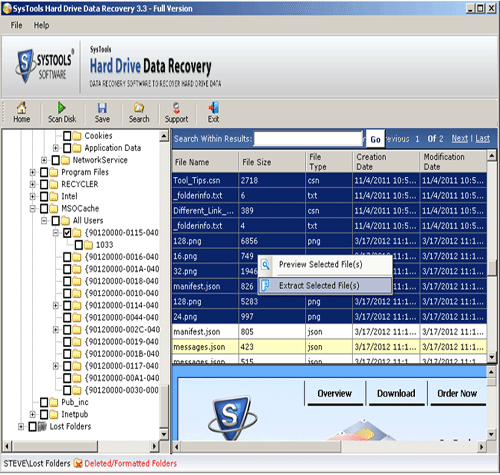
Software Screenshot
Our Prestigious Clients

Shareware Sites Awards